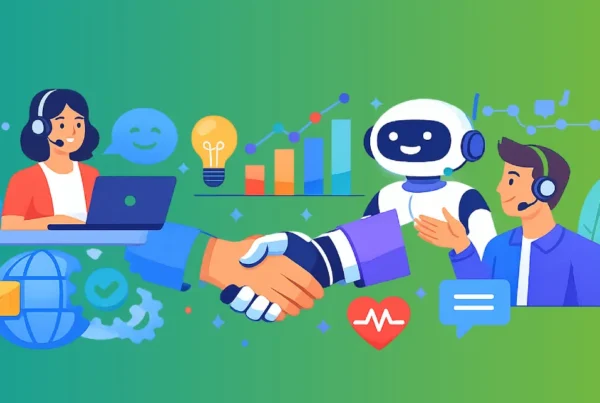

In today’s digital-first economy, customers expect instant answers. Whether they’re browsing your website at midnight or calling during peak business hours, they demand fast, accurate, and personalized support – something businesses achieve through 24/7 customer support services that ensure assistance is always available.
Yet many businesses still rely entirely on human support teams. While human agents are essential for complex and emotional interactions, relying solely on them creates bottlenecks:
- High ticket volumes
- Overworked agents
- Long queue times
- Rising payroll costs
- Inconsistent response quality
This is where AI contact center solutions and intelligent automation come in.
If you’re asking: How do I add an AI customer service bot to handle inbound customer service requests and reduce wait times? — This comprehensive guide will walk you through every step.
Why Businesses Are Turning to AI for Customer Support
Most companies discover that 60–70% of inbound tickets are repetitive. These typically include:
- Pricing inquiries
- Order status requests
- Password resets
- Service information
- Appointment scheduling
- Basic troubleshooting
These tasks consume valuable agent time but require minimal human judgment.
An AI contact center solution automates these repetitive interactions while escalating complex cases to human agents, often working alongside live chat support to provide instant assistance without long wait times.
Industry workforce reports and customer experience studies consistently highlight how rising support demand is putting pressure on traditional service models.
Benefits of AI Customer Service Bots

Instead of replacing agents, AI enhances them.
Cost Breakdown: What Does AI Customer Service Cost?
| Solution Type | Monthly Cost | Best For |
|---|---|---|
| Basic Chatbot | $30–$150 | Small businesses |
| CRM AI Bot | $150–$500 | Growing companies |
| Enterprise AI Voice Bot | $1,000+ | Large call centers |
| Custom AI with NLP | $3,000+ | High-volume enterprises |
Compared to hiring additional agents ($3,000–$5,000/month per agent), AI delivers strong ROI.
Before vs After AI Implementation
| Metric | MBefore AI | After AI |
|---|---|---|
| Response Time | 5–15 mins | Instant |
| Support Hours | 8–10 hours | 24/7 |
| Agent Burnout | High | Reduced |
| Ticket Volume per Agent | High | Lower |
| Customer Satisfaction | Moderate | Higher |
| Cost Per Ticket | High | Lower |
The transformation is measurable.
Step-by-Step Guide to Implementing an AI Customer Service Bot
Step 1: Audit Your Inbound Support Data
Before implementing AI, you must understand your ticket patterns – something businesses typically uncover while managing structured inbound call center support operations.
Analyze:
- Last 60–90 days of tickets
- Most frequent queries
- Average response time
- Peak support hours
- Escalation rate
Identify Automation Opportunities:
| Common Request Type | Automation Suitability | AI Impact |
|---|---|---|
| Pricing Questions | High | Instant structured response |
| Order Tracking | High | API integration for live updates |
| Password Resets | Very High | Fully automated |
| Appointment Booking | High | Calendar integration |
| Complaint Escalation | Low | Human required |
| Enterprise Negotiation | Low | Sales rep needed |
This audit defines your AI scope.
Most companies discover that 60-70% of inbound tickets are repetitive.
Step 2: Define AI vs Human Responsibilities
A hybrid AI + human model works best.
AI Should Handle:
- FAQs
- Status updates
- Lead qualification
- Appointment scheduling
- Basic troubleshooting
- Form submissions
Humans Should Handle:
- Emotional complaints
- Escalations
- Enterprise sales discussions
- Complex technical issues
- Refund disputes
This balance protects customer experience while maximizing efficiency.
Step 3: Choose the Right AI Platform
Different business models require different AI tools.
Website Chatbots
Best for real-time visitor engagement.
Examples:
- Intercom
- Freshchat
- Tidio
CRM-Integrated Bots
Automates customer data updates and lead creation.
Examples:
- Zoho SalesIQ
- Salesforce (Einstein Bots)
AI Voice Bots
Handles call center traffic.
Examples:
- Yellow.ai
- Five9
Choose based on:
- Channel volume (chat vs phone)
- CRM ecosystem
- Budget
- Integration needs
Step 4: Design Structured Conversation Flows
AI works best with clarity.
Example flow:
Welcome Message:
“Hi! How can I help you today?”
Menu Options:
- Support
- Pricing
- Sales
- Book Demo
Lead Qualification:
- Industry
- Company size
- Timeline
Automated Actions:
- Schedule demo
- Create ticket
- Provide article link
Clear flows reduce friction and improve containment rate.
Step 5: Train the AI with Your Data
Feed your AI:
- FAQ pages
- Knowledge base articles
- Product documentation
- Past chat transcripts
- Email support logs
The more context the AI has, the more accurate responses it provides.
Tip: Start narrow, then expand.
Step 6: Implement Smart Escalation Rules
AI should escalate when:
- Negative sentiment detected
- Customer types “speak to agent”
- Low AI confidence score
- Complex multi-layered issues
- VIP customer identified
This ensures service quality remains high.
Step 7: Integrate with Your CRM & Helpdesk
Integration enables:
- Automatic ticket creation
- Conversation logging
- Lead scoring
- Automated follow-ups
- Workflow triggers
For example, connecting your chatbot with Zoho CRM ensures every inquiry becomes structured data.
Without integration, AI loses much of its power.
Step 8: Monitor and Optimize Performance
Track key KPIs:
| KPI | Target Benchmark |
|---|---|
| First Response Time | Under 30 seconds |
| AI Containment Rate | 60–80% |
| Escalation Rate | Below 30% |
| CSAT | 85%+ |
| Cost Per Ticket | Reduced by 25–40% |
| Average Resolution Time | Reduced by 30% |
Optimization is ongoing.
Common Mistakes to Avoid
- Deploying AI without structured flows
- Not integrating with CRM
- No escalation plan
- Ignoring analytics
- Over-automating emotional conversations
AI should enhance, not frustrate.
Real Business Impact
Companies implementing AI customer service typically report:
- 30–50% faster response times
- 25–40% reduction in operational costs
- Higher lead conversion rates
- Improved agent morale
- Better scalability during peak traffic
AI doesn’t just reduce wait times — it improves the entire support ecosystem.
FAQ’s
How long does it take to implement an AI customer service bot?
Will AI replace my customer service team?
How much can AI reduce wait times?
Is AI customer service expensive?
Can AI integrate with my existing CRM?
What industries benefit most from AI customer service?
What is the AI containment rate?
Can AI handle voice calls?
How do I measure AI success?
Is AI secure?
Final Thoughts: The Future Is Hybrid
Adding an AI customer service bot is no longer optional — it’s strategic.
Customers expect:
- Immediate responses
- 24/7 availability
- Personalized assistance
AI delivers this at scale while empowering your human agents to focus on what truly matters.
The future of customer service is not AI vs humans.
It’s AI + humans working together to create faster, smarter, and more scalable support systems.
If reducing wait times and increasing efficiency are priorities for your business in 2026, now is the time to implement AI-driven customer service.