

- Introduction
- The Problem with Manual Ticket Tagging
- What Is AI Customer Service with Automatic Ticket Tagging?
- How the Technology Works
- The Impact on Response Times: The Numbers
- Key Benefits Beyond Speed
- Real-World Application: Wolseley Canada
- AI Ticket Tagging vs. Traditional Rule-Based Systems
- Common Challenges and How to Address Them
- Best Practices for Implementing AI Ticket Tagging
- What to Look for in an AI Ticketing Platform
- Conclusion
- FAQ’s
Every second counts in customer service. When a customer submits a support request, the clock starts ticking – and how quickly that ticket gets to the right agent determines whether that customer stays loyal or walks away. For years, contact centers have wrestled with the same bottleneck: manually reading, classifying, tagging, and routing each ticket before any actual resolution work can begin.
AI customer service with automatic ticket tagging and categorization eliminates that bottleneck. By using artificial intelligence to instantly read, understand, and sort every incoming ticket, contact centers are cutting response times dramatically – in some cases, reducing first response from 15 minutes to under 30 seconds. This article breaks down exactly how it works, why it matters, and how your contact center can get there.
The Problem with Manual Ticket Tagging
Before diving into AI, it helps to understand what manual ticket management actually costs – in time, accuracy, and agent morale.
When a ticket arrives, an agent must read it, determine its category (billing issue? technical fault? shipping delay?), assign a priority level, tag it correctly, and route it to the right team or individual. This triage process typically takes 30 to 90 seconds per ticket. Multiply that by hundreds or thousands of daily tickets, and you have a significant operational drag before any customer gets helped.
The accuracy problem is just as costly. Human tagging is inherently unreliable under stress; agents omit tags, and they may re-categorize or use ambiguous fields, such as “Other” or “General, ” which make reporting and trend analysis impossible. Testing has indicated that manual classification averages just 60-70% accuracy, meaning almost one in three tickets is incorrectly filed, escalated, or delayed.
Effects of the downstream acceleration: tickets go into incorrect queues, escalations are made needlessly, SLA deadlines are missed, and customers are kept waiting on a longer duration than necessary.
What Is AI Customer Service with Automatic Ticket Tagging?
AI Customer Service uses artificial intelligence (Mainly Natural Language Processing (NLP) and machine learning) to automate and optimize support flows. Automatic ticket tagging and categorization are one of its most successful implementations. If the customer makes a request, the AI system reads the entire ticket, including the subject, body of the mail, attachments, and even old previous dialogs. Within a fraction of a second, it identifies:
- Intent – What the customer actually wants (refund, troubleshooting account changes.
- Category – Which product, service, or department refers to the aspect of the issue?
- Urgency – How ready is the person to take action/ for a decision to be made (triggers/Word choice).
- Sentiment – Whether the customer is frustrated, neutral, or happy.
- Entity information – Such as product names, order numbers, error codes, and account names.
From above, you can see how the AI suggests the correct tags, sets a priority, and routes the ticket automatically to the right agent or team, all before a human ever has.
How the Technology Works
1. Natural Language Processing (NLP)
Automated ticket tagging relies on NLP. In other words, it doesn’t just look for keywords in a ticket and grab some tag, but attempts to grasp the meaning and context of a piece of text just as a human would.
This is an important difference. An NLP-based system, for example, could see that a request for a new payment functionality in a product was not the same as a billing system problem, even though both references contained the word “payment.” Contemporary NLP models leverage massive corpora of support conversations, learning the nuances of how various issue types, priority levels, and emotional states are expressed in language.
To understand how this feeds into the broader triage and routing process, read our detailed guide on AI for Customer Support Ticket Triage, Tagging & Routing.
2. Machine Learning
Machine learning enables the AI system to learn and improve over time. The core of the model is trained on past ticket data, thousands of past issues, and the corresponding correct classifications, priorities, and resolutions. The model uses these examples to identify methods of predicting the correct classification for new tickets.
Importantly, the model learns from every ticket it sees. Over time, as your product changes, new kinds of issues are encountered and the words your customer base uses to describe their problems change, the AI keeps pace – versus a rules-based approach, which would take a programmer to update.
Hundreds of thousands of tickets are often required to train this model, and the results of the system very frequently have their accuracy improved by including the contents of the comments and the descriptions within the prediction (not the ticket subjects). This increases the prediction accuracy from 53.8% to 81.4%. When retrained on an ongoing basis, some systems have resulted in a prediction accuracy of 96%.
3. Sentiment Analysis
Though sentiment analysis is where things get more interesting. It can determine not only what the problem is but how the customer feels about that problem. By classifying a ticket to have “high frustration”, it can be auto-routed to a senior agent ahead of those that aren’t so high on the frustration scale. This way decreases the chance of escalation or churn.
The Impact on Response Times: The Numbers
The performance improvements from AI ticket tagging are not incremental; the improvements are transformational.
- Through the automation of the triage process, AI-enabled platforms can cut first response times by as much as 45%.
- Some contact centers have reduced first response times from 15 minutes to 23 seconds – a 97% reduction.
- Automated tagging applies multi-label classifications in under one second per ticket, compared to 30- 90 seconds manually.
- In real-time, automated or AI categorization rates are about 89% rather than 60-70% in cases of manual processes. Closer with faster routing and more empowered agents can reduce resolution time by 50%.
- Better empowered agents recover 20% of the worker time previously spent on manual classification. These numbers show up as bottom-line metrics in the form of improved CSAT scores, lower churn, fewer escalations, and adherence to SLAs.
Key Benefits Beyond Speed
Speed is the headline, but AI Ticket Tagging brings benefits throughout your whole support operation.
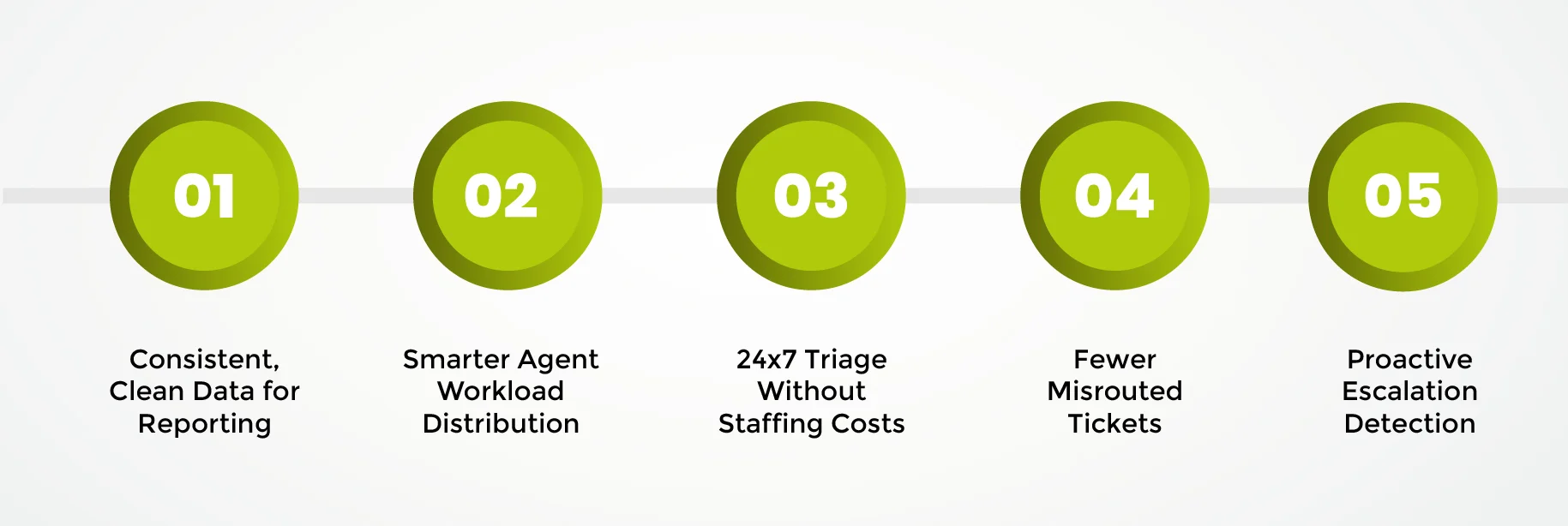
1. Consistent, Clean Data for Reporting
When every ticket is labeled correctly and consistently, your support data turns usable. Trending, product feedback, root cause, and prediction all rely on clear labels. With manual labeling, everything gets lost in the mess. AI brings machine-auditable, trustworthy data on what truly is.
2. Smarter Agent Workload Distribution
AI categorization allows the experience of the agent to be considered, directing tickets to the right person(s) rather than the next available, as in scripting. Agents who specialise can do the work of specialist questions, and the less complex issues will tend to be dealt with faster by others. This will improve effectiveness, avoid burnout, and give greater reliable planning capacity.
3. 24×7 Triage Without Staffing Costs
AI does not sleep. So a ticket that arrives at 2 AM will be classified, prioritized, and routed in the same fraction of a second as a ticket that arrived in peak hours. Very important if your contact center coverage is global.
4. Fewer Misrouted Tickets
Every misread ticket causes friction. For the customer who is waiting, the agent who drives it, and the team to whom the SOP vendor takes it. The higher the routing accuracy by AI, the less off-course-ness there will be. Keeps your flow clean.
5. Proactive Escalation Detection
AI can see trends across dozens of bills before a human can. Even 5 customers from the same region submitting billing complaints on the same day can be fraudulently flagged, routed, and escalated to a senior team to proactively rectify an issue – rather than firefight alone.
Real-World Application: Wolseley Canada
Another example of how AI ticket categorization can be implemented is Wolseley Canada. Faced with approximately 7,000 to 8,000 support emails each month, the company’s Customer Service and Process Improvement Manager, Eilis Byrnes, decided to introduce an AI-based categorization. Thanks to it, the routing accuracy was increased, SLA tracking became more precise, and the whole support function became less costly and more efficient.
This example demonstrates an overarching point: that is, AI ticket tagging is industry-neutral and devoid of any volume threshold. Call centers of all shapes and sizes, from the largest to the smallest, and regardless of volume of tickets, across all verticals, can realize huge value.
AI Ticket Tagging vs. Traditional Rule-Based Systems
Many contact centers have existing automation in the form of rule-based routing: if the ticket contains “refund,” send it to billing; if it contains “error,” send it to tech support. These systems are better than nothing but raise some considerable concerns.
Rules-based systems can identify only what they have been trained to identify, words or phrases already in a lexical dictionary. They cannot identify the intent of a message, comprehend synonyms, grasp context, or recognize similar words.
They are stymied by multi-lingual tickets, obscure language, and misspelled words. They cannot remember anything. New words or new techniques have to be hardwired.
AI ticket tagging addresses all of these issues. It interprets the meaning, not just the words. It copes with variations in the language, multiple languages,s and the introduction of new terms. And it learns, and the data grows, gaining a significant additional advantage throughout its life. For a deeper look at how AI manages the full journey from triage to final routing, explore our guide on AI for Customer Support Ticket Triage, Tagging & Routing.
Common Challenges and How to Address Them
1. Messy Historical Data
If there are bad models, then they are trained on bad data. If your history is littered with inconsistent tags, broad categories, and misclassified examples, then the best your model will be able to do is spread your existing misclassifications and inconsistencies. Your best bet is to spend some time cleaning up and normalising your ticket taxonomy before training. That means consolidating overlapping tags, removing unused tags, and defining criteria for every category.
2. Automation Drift
A common pitfall is that AI accuracy looks strong at launch, then quietly decays as your product evolves and the ticket mix shifts. This is known as automation drift. The fix is regular model retraining – typically monthly – and monitoring per-intent accuracy rather than just aggregate accuracy, which can mask small categories that have silently broken.
3. Over-Complicated Taxonomies
If your tag taxonomy has hundreds of overlapping categories, AI automation will replicate the mess faster, not fix it. Simplify before you automate. Identify the core dimensions of use that truly matter for routing and reporting, and start there.
4. Change Management
Agents who have manually categorized tickets for years will be very wary of AI automation. Present AI tagging as not replacing judgment, but taking the boring part away so they can do what humans excel at: empathy, nuance, and relationships.
Best Practices for Implementing AI Ticket Tagging
- Audit and clean your taxonomy first. Define clear, distinct categories with one-sentence descriptions before training any model.
- Train on representative data. Don’t forget to include tickets around busy times, across several zones, and up against edge cases. The richer your training set, the stronger the model.
- Use the full ticket content for training. The subject lines only create a less accurate model. Use the full body, previous conversations, any attached files, etc.
- Set confidence thresholds. For tickets where the confidence of AI is under a given threshold, allow the ticket to route to a human reviewer instead of forcing a low confidence classification.
- Monitor per-category accuracy, not just overall accuracy. A small category can break silently without impacting the overall number.
- Plan for monthly retraining. Create a process to refresh the model with fresh tickets so its accuracy doesn’t drop.
- Track the right metrics. Measure first response time, agent triage time saved, routing accuracy, and first contact resolution rate – not just classification accuracy.
What to Look for in an AI Ticketing Platform
When evaluating AI customer service platforms for ticket tagging and categorization, look for:
- Classification algorithm based on NLP (not only word matching) – Multi-label tagging, the ability to associate product area, issue type, urgency, and sentiment at the same time.
- Ongoing education -Though using new data without retraining every time.
- Omnichannel support – The same tags being used no matter what is by far the best way to ensure customers are understood, whether it is on email, chat,t social, or the phone.
- No-code configuration – i.e., changing routing rules and tag taxonomies without the need for engineering.
- CRM and helpdesk integration – Native connectivity with Zendesk, Salesforce, ServiceNow, or your existing platforms.
- Monitoring methods – Dashboards displaying the accuracy of content classification, call routing efficiency, and trending information on a weblog.
Conclusion
The jump from a contact center that still manually tags tickets to one that has implemented AI customer service with auto tagging and categorization is tremendous, with speed, accuracy, agent productivity,y and customer satisfaction. What once took 30 to 90 seconds of human focus per ticket now takes less than a second, is more accurate, and is available any time of day.
For today’s contact center leaders who want to get faster response times, SLA deliverables, and make more effective use of agents’ time and knowledge, AIAI ticket tagging is not a someday investment. It is an imperative today.
At Vsynergize AI, we can help you bring an AI-powered customer service solution that genuinely works to your contact center. Interested in how automatic ticket tagging and categorization can improve your support operations? Drop us an email at info@vsynergize.com
FAQs
1. What is automatic ticket tagging in AI customer service?
The automatic ticket tagging feature works with AI to automatically read, categorize, and tag support requests by intent category, sentiment,t and priority. This can happen automatically.
2. How much can AI ticket tagging reduce response times?
AI can cut first response times by up to 45-97%, with some platforms reducing response from 15 minutes to under 30 seconds per ticket.
3. What technology powers AI ticket categorization?
It makes use of NLP for understanding intent and context, and machine learning, in order for the classification to grow more accurate as the number of tickets grows.
4. How accurate is AI ticket tagging compared to manual tagging?
Compared to the 60-70% accuracy of traditional tagging, AI brings around 89% average accuracy for real-time routing.
5. Will AI ticket tagging replace human agents?
No. The AI manages the monotonous triaging and classification so that the agents can deal with the second-order human decision needs for the difficult stuff.
6. What industries benefit most from AI ticket categorization?
Customer service, IT support, e-commerce, healthcare, financial services, retail, and any industry with a great demand for support requests has a lot to gain from increased efficiency.






 Reduces response times by 50%
 Date: 19th February, 2025
 Time: 12 PM – 1 PM (EST)
 Where: LinkedIn Live